Learn computer basics, computer parts, practical skills, internet safety, and essential computer knowledge with this beginner-friendly guide for school students.
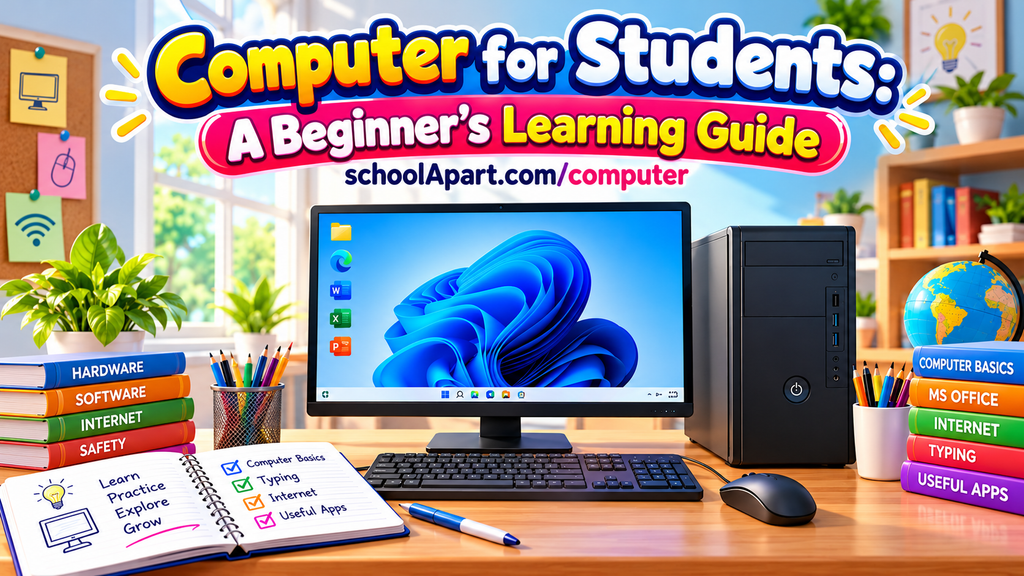
Computer for Students: A Beginner’s Learning Guide
Welcome to the Computer Learning Hub at SchoolApart.com! This page helps school students learn about computers step by step, from basic computer knowledge to practical skills that are useful at school and in everyday life.
Whether you are using a computer for the first time or want to improve your digital skills, you will find simple explanations, beginner-friendly guides, and useful learning resources here.
What Is a Computer?
A computer is an electronic device that accepts data, processes information, stores files, and produces results. Computers help us learn, write documents, solve problems, create presentations, communicate with others, and explore information on the internet.
Learning computer skills helps students become more confident with technology and prepares them for future education and work.
Learn Computer Step by Step
Follow this learning path to build your computer knowledge from the beginning.
1. Computer Basics
Start by understanding what a computer is, what it does, and how it works. These beginner-friendly topics will help you build a strong foundation before moving on to more advanced concepts.
Learn about:
- What a computer is
- Uses of computers in daily life
- Different types of computers
- Characteristics of computers
- How a computer works
Beginner learning guides:
- What Is a Computer? A Simple Guide for Students
- Uses of Computers in Daily Life
- Types of Computers: Desktop, Laptop, Tablet and More
2. Computer Parts and Devices
A computer has different parts that work together to process information. Learning about these components will help you understand how computers operate.
Learn about:
- Computer hardware and software
- Input and output devices
- CPU and computer memory
- Storage devices
- Operating systems
Beginner learning guides:
- Parts of a Computer and Their Functions
- What Is Computer Hardware?
- What Is Computer Software?
- Hardware vs Software: Differences with Examples
- Input Devices of a Computer
3. Computer Skills and Practical Learning
Knowing computer theory is important, but practical skills are equally useful. Students should learn how to operate a computer, manage files, type efficiently, and use common applications.
Learn about:
- Keyboard keys and mouse functions
- Keyboard shortcut keys
- Typing and basic computer operations
- Creating, saving, and opening files
- Working with documents and presentations
- Introduction to spreadsheets
Upcoming learning guides:
- How to Use a Keyboard: Keys and Their Functions
- Computer Keyboard Shortcut Keys for Students
- Files and Folders: A Simple Guide for Students
4. Internet and Digital Safety
The internet provides access to educational resources, communication tools, and information. Students should also understand how to use it safely and responsibly.
Learn about:
- What the internet is
- Web browsers and search engines
- Email and online communication
- Creating strong passwords
- Protecting personal information
- Recognising cyberbullying and online risks
These skills can help students become safer and more responsible digital citizens.
5. Computer Study Resources
Use computer study resources to revise important concepts and practise what you have learned.
Explore learning activities such as:
- Basic computer questions and answers
- Computer terminology and full forms
- Multiple-choice questions (MCQs)
- Computer parts identification activities
- Practical computer assignments
- Computer project ideas for school
More study materials and practice resources will be added as the learning hub grows.
Why Should School Students Learn Computer Skills?
Computer knowledge is useful for schoolwork and everyday life. It helps students:
- Prepare school assignments and presentations.
- Find educational information online.
- Organise documents and digital files.
- Communicate through digital tools.
- Understand technology and how it works.
- Develop problem-solving and independent learning skills.
- Prepare for future digital learning opportunities.
Students do not need to learn everything at once. Starting with simple concepts and practising regularly is a good way to build confidence.
Tips for Learning Computers as a Beginner
- Start with the basic parts of a computer.
- Learn how to use the keyboard and mouse.
- Practise opening, saving, and organising files.
- Explore simple applications with guidance from a teacher or parent.
- Learn internet safety before sharing information online.
- Practise regularly and ask questions whenever something is unclear.
Frequently Asked Questions
1. What should students learn first in computers?
Students should begin with what a computer is, its main parts, its uses, and how it works. They can then learn keyboard and mouse skills, file management, and basic applications.
2. At what age can children start learning computers?
Children can begin learning simple computer concepts in the early school years, with activities suited to their age and abilities. Practical computer use should be introduced gradually with appropriate adult guidance.
3. Which computer skills are important for school students?
Basic computer operations, typing, file management, word processing, presentations, internet research, email, and online safety are useful skills for school students.
4. Can students learn computer skills at home?
Yes. Students can learn many computer concepts at home through guided practice, educational resources, and age-appropriate activities. Regular practice helps them develop confidence.
5. What is the difference between computer skills and coding?
Computer skills focus on using computers and software effectively. Coding focuses on writing instructions that tell computers what to do. Both are useful, but they serve different learning goals.
Start Your Computer Learning Journey
Learning computers becomes easier when you follow a clear path. Begin with computer basics, understand the different parts and devices, practise essential skills, and learn how to use the internet safely.
Explore the learning resources on SchoolApart.com and keep building your computer knowledge one step at a time.
SchoolApart.com — Learn, Create and Grow.